
Why shop for a RunPod alternative? RunPod helped many teams start with GPUs, but its on-demand A100 80 GB (Community Cloud) now lists at $1.39 per hour. That is fine for short jobs, yet it adds up fast once you fine-tune large models or serve live traffic.
The good news: several newer clouds undercut RunPod while still giving you SSH access, pre-built images, and hourly billing. Below are the best RunPod alternatives.
Quick comparison of on-demand A100 (80 GB) prices
| Provider | Price per GPU/hour | Best For |
|---|---|---|
| Thunder Compute | $0.78 | Cost-efficiency without compromising security |
| Paperspace | $3.18 | Polished UI & Managed Notebooks |
| Google Colab | $1.50 | Interactive Jupyter UX, rapid development & education |
| Crusoe Cloud | $1.65 | Uptime & ESG compliance |
| Vast.ai | $1.94 | Spot instances & hobbyist projects |
| Vultr | $2.40 | Global cloud ecosystem |
| CoreWeave | $2.70 | InfiniBand clusters & heavy scaling |
| Lambda | $2.79 | Bare-metal simplicity |
| Azure | $3.67 | Benchmark: Enterprise compliance |
Thunder Compute

Price: $0.78/hr for an A100 80 GB.
Why it is cheaper: Thunder Compute optimizes GPU capacity from hyperscalers and passes on savings.
Account hoops: Email signup and credit card, no wait-list.
Nice extras: One-click VS Code extension, simple interface
Best for: Solo researchers and startups that need reliability at the lowest price. You can develop for pennies and scale your environment seamlessly to larger, production-focused instances with one command.
Vast.ai
Price: Average $1.94/hr for an A100 80 GB; listings can still vary by host.
Why it is cheaper: Crowdsourced GPUs with bid pricing.
Account hoops: None, but host reliability varies, so test before big runs.
Nice extras: Pay-by-the-second billing and automatic spot-like restarts.
Best for: Cost-sensitive fine-tuning where you can checkpoint often.
Google Colab
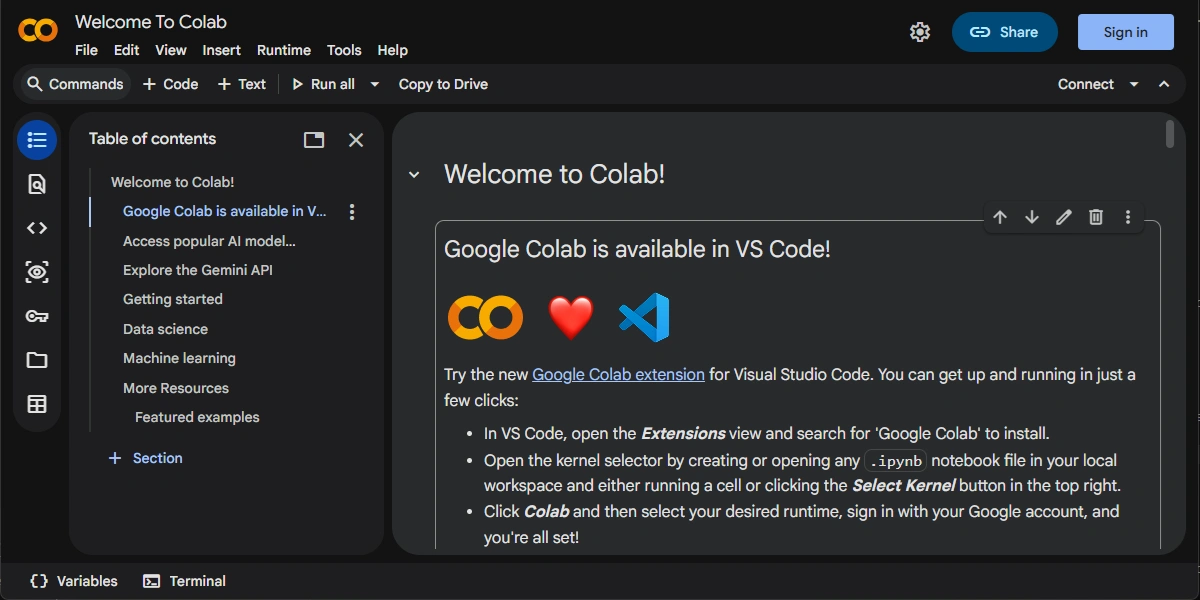
Price: $1.50/hr.
Why it is variable: Rather than charging a flat hourly dollar rate, Colab runs on "Compute Units" ($9.99 per 100 CUs). Premium hardware like the A100 80GB needs roughly 13 to 15 CUs/hr ($1.30–$1.50/hr).
Account hoops: Strict session time limits (12-hour caps on standard tiers, 24-hour caps on Pro+), automated idle timeouts that drain credits if left unattended, and a lack of guaranteed instance persistence.
Nice extras: Zero-configuration setup, seamless Google Drive integration for dataset storage, and free, easy sharing links similar to Google Docs.
Best for: Rapid development, interactive Jupyter UX, and education. It remains an unmatched ecosystem for quickly spinning up a model, sharing research scripts, or running lighter workloads without managing SSH keys or Docker configurations.
For a full comparison, read Runpod vs Google Colab Pro.
Lambda
Price: $2.79/hr for an A100 80 GB.
Why it is cheaper: Lean focus on bare-metal GPU servers and minimal PaaS overhead.
Account hoops: Instant signup; occasional wait-list when demand spikes.
Nice extras: Shared-file workspace images and seamless upgrade to H100 clusters.
Best for: Teams that already have Lambda-compatible Docker images and want a drop-in swap.
Crusoe Cloud
Price: $1.65/hr for an A100 80 GB PCIe; $1.45/hr for 40 GB.
Why it is cheaper: Runs data centers on stranded natural-gas power that costs less.
Account hoops: Join a short wait-list if inventory is tight.
Nice extras: 99.98 percent uptime and transparent ESG reporting.
Best for: Production inference where uptime matters more than the absolute lowest price.
CoreWeave
Price: About $2.70/hr per A100 80 GB, normalized from CoreWeave's public 8-GPU node pricing.
Why it is cheaper: Custom data-center fabric and no general-purpose services.
Account hoops: Must request access; approval can take a few business days.
Nice extras: InfiniBand clusters and H100s in the same project.
Best for: Teams that need multi-GPU A100 or H100 nodes with fast NVLink.
Vultr
Price: $2.40/hr for an A100 80 GB Cloud GPU instance.
Why it is priced here: Vultr sits between the "boutique" GPU clouds and the "Big Three" hyperscalers. You are paying for a massive global footprint (32+ locations) and a highly stable, virtualized environment.
Account hoops: Standard cloud hosting signup; may require identity verification for new accounts.
Nice extras: Full ecosystem support, including managed Kubernetes and S3-compatible object storage.
Best for: Users who need a professional cloud experience with robust APIs and global availability.
Paperspace (DigitalOcean)

Price: $3.18/hr for an A100 80 GB.
Why it is cheaper than the hyperscalers: Lean feature set and data-center footprint limited to US + EU.
Account hoops: Credit-card signup; tougher fraud checks than others.
Nice extras: Free Jupyter notebooks and a rich web console.
Best for: Users who want a polished UI and do not mind paying a small premium.
Azure
Price: ~$3.67/hr.
Why it is expensive: Global compliance, enterprise security, and deep integration with the Microsoft ecosystem.
Account hoops: Complex subscription tiers and quota requests.
Nice extras: Integration with VS Code and GitHub.
Best for: Benchmark purposes. While Azure is not "affordable" in a literal sense, it serves as an industry standard for uptime and compliance.
How to pick the right alternative
<ul><li><strong>Check inventory size:</strong> If you need more than eight A100s, Thunder Compute and CoreWeave usually have the deepest pools.</li><li><strong>Decide on reliability:</strong> Vast.ai gives the lowest sticker price, but nodes may disappear mid-run. Use tools like torch.save to checkpoint every few hours.</li><li><strong>Mind network egress:</strong> Most providers charge extra to move data out. Compress model checkpoints or push them to S3-compatible buckets in the same region.</li><li><strong>Watch spot and reserved deals:</strong> Crusoe and CoreWeave both discount 10–30 percent for six-month commitments.</li><li><strong>Move fast:</strong> GPU prices change monthly. Before a long training job, confirm today's rate in the provider's console.</li></ul>
Next steps
<ul><li>Spin up a test instance on <a href="https://www.thundercompute.com/">Thunder Compute</a> in under two minutes and benchmark your script.</li><li>Port your RunPod Docker image by matching the latest CUDA version.</li><li>Set an alert to re-shop every quarter as prices keep falling.</li></ul>
Bottom line: While RunPod is a popular entry point, its "Community Cloud" model often lacks the stability required for production-grade AI. Thunder Compute is the clear choice proving cost-efficiency and reliability. Meanwhile, Vultr or CoreWeave are the go-to options for teams needing complex cloud ecosystems or massive InfiniBand clusters.